As described in the section on finding an installation location, some devices may cause interference. To check if your Home Assistant Connect ZWA-2 is positioned far enough from other wireless transmitters or objects to avoid interference or signal blocking, follow these steps.
Prerequisites
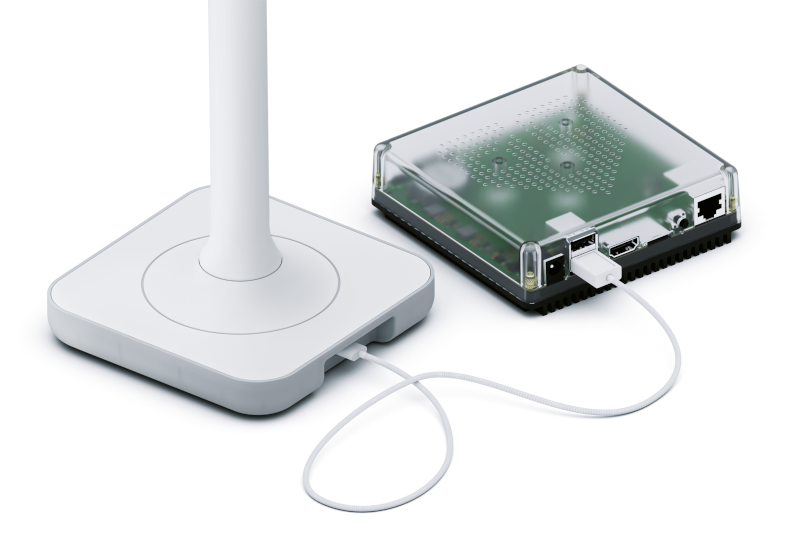
- Have Home Assistant Connect ZWA-2 connected to Home Assistant
- Administrator rights on Home Assistant
To check for interference or signal blocking
Step 1
Open the Z-Wave integration page
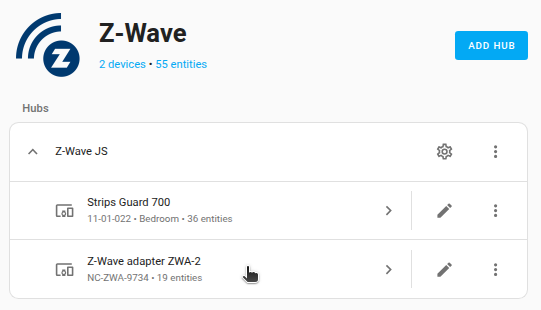
- Go to Settings > Devices & services and select the Z-Wave integration card.
- From the list, select the adapter.
Step 2
Enable the signal noise entities
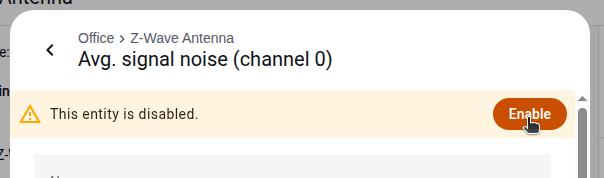
- Under Diagnostic, for each Average signal noise and each Signal noise entity, select the entity and in the dialog, select the cogwheel.
- Then select the Enable toggle.
- It takes a while for the entities to become active.
Step 3
Check the signal noise values and move the device if needed
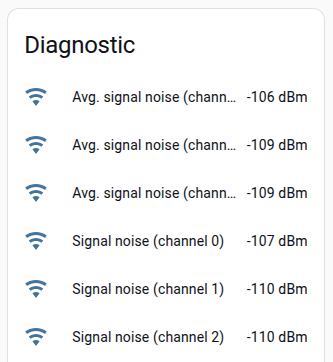
- Under Diagnostic, check the Average signal noise and Signal noise values.
- The Average signal noise is the signal noise averaged over a longer time span.
- The first gives an indication how good the location is in general, the latter can show short spikes in noise.
- The Average signal noise values should be between -100 and -110 dBm, ideally closer to -110 dBm.
- A higher signal noise value is worse than a lower value in terms of interference. For example, -90 is worse than -110.
- If the value doesn’t look good, move the device around until you find a good spot for it.
- To see if you are moving in a good direction, check the Signal noise value.
- Move slowly, as the Signal noise value takes about 30 s to update.
- The Average signal noise takes much longer than that to update. It will take several minutes before you see a change in those values.