If you already have a Z-Wave network running with Home Assistant and Z-Wave hat (GPIO module), and you want to migrate to Home Assistant Connect ZWA-2, follow these steps. The steps are very similar to the normal migration, with a few caveats.
Prerequisites
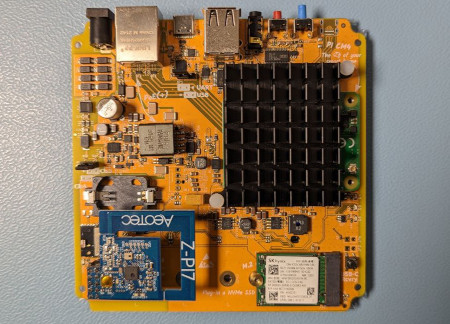
- Home Assistant smart home hub with a USB 2.0 port, for example, a Home Assistant Yellow.
- Have a Z-Wave network running on Home Assistant via a Z-Wave hat (GPIO module), like the one shown in the image.
- Home Assistant Operating System with Home Assistant 2025.8 or newer installed on your smart home hub.
- Home Assistant Connect ZWA-2 with a USB-C to USB-A cable (included in the box).
To migrate from a Z-Wave hat to Home Assistant Connect ZWA-2
- For the most part, follow the migration steps, but watch out for the following:
- When Home Assistant tells you to unplug the old adapter, don't do it!
- Leave the Z-Wave module in place and continue.
- Removing it at this point requires shutting down the hub, which would abort the migration.
- Once the migration is complete, power down your hub and remove the Z-Wave module.